

YassirFull case study
Helping customers decide when an item is out of stock
A missing item can change a grocery order after checkout. I designed how customers say what should happen, answer when we need them, and see what changed.
01 Context
The order is not final at checkout
She orders what the app shows. By the time the picker reaches the shelf, an item can be gone.
Yassir (YC W20) is a super app in North and West Africa: a leader in food and grocery delivery, with rides and travel eSIMs too.
For groceries, a picker shops each order in the store, then a courier delivers it. So the customer has already ordered when an item turns out to be missing, and what is in her order can still change.
We could not remove that gap: our dashboard does not track stock. The job was to make the change easy to understand, and easy to settle.
02 My role
I led design for the whole marketplace
I worked on what happens when an item is out of stock. This case study is the customer's side.
What I did
Researched the patterns: how other grocery apps handle a missing item.
Used AI to prototype fast, with working flows instead of static screens.
Reviewed and iterated, many times: design, review, change, review again.
Reviewed every word with UX Content, and designed for Arabic too, right to left.
Added new features, launch after launch.
03 Problem
The old flow gave her two choices, and no news
When an item was missing, she could take a refund or let the store pick, one item at a time. When her order changed, her app said nothing.
When I joined, the feature was very basic, and behind other grocery apps. The team had launched version 2: two options on each item, and one switch that set every item to Refund. In the store, the picker could only mark the item out of stock. He had no way to ask her.


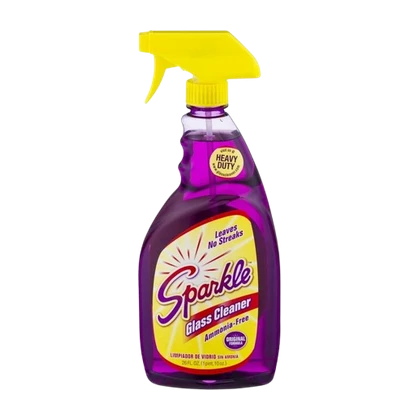
 Store picks the best available alternative.

version 2, live before I joined two choices per item, and one switch for Refund
My goal: learn what each customer wants when an item is missing, tell the picker, and deliver more complete orders.
04 Findings
The problem was not only stock. She did not know, and she had no say.
What customers asked after version 2 was about more than a missing product. They wanted to know what would happen to it, and to have a say.
Finding 1
Store pick was a blind choice
What customers asked
What if I don't like what he picks?
There was no way to choose her own alternative.I ordered glass cleaner. Could he pick bleach?
Nothing said what a fair replacement was.
Finding 2
Nobody told her when her order changed
What pickers and ops told us
The ops team calls the customer, if someone has time.
On a busy day, or when the order is late, nobody calls.
Finding 3
One answer did not fit every order
Why only one by one?
She couldn't set Store pick for the whole order. The toggle only did Refund.Refund what?
96% of Yassir's orders in Algeria were paid in cash.
The research
- 15
- customers interviewed by our researcher
- 6
- grocery apps I compared
Nobody told the customer
The ops team calls the customer, if someone has time.pickers and ops
On a busy day, or when the order is late, nobody calls.pickers and ops
Some products shown in the app are not in stock.customers
The money did not add up
Most orders are paid in cash, so there is nothing to refund.the PMs
Pickers can't see the order total.the price PRD
Customers chose a more expensive item without seeing its price.the price PRD
Why this matters to a grocery business
- 79%
- of online grocery orders had at least one item go wrong
- 3.15
- items went wrong in each of those orders
- −0.84%
- spent on the next order, after one failure
- 47%
- of shoppers would change grocer
05 Turning point
Ask what she wants, not which product
Most apps ask her to choose a replacement product. I asked a different question: if this item is missing, what should we do?
What most grocery apps do, and why I did not copy it
They ask for a replacement product before checkout. Under the item, or in the cart, they show what is out of stock and offer alternatives.
For our customers, that is more work. They want this handled with less effort.
And it can loop. The replacement she picks can be out of stock too. We could not know, because our dashboard does not track stock. That is the first problem again.

In real life, if the milk is out, you take another milk. You don't think in product codes. So she tells us how to handle it, and the picker, at the shelf, offers what is really there.
Her answer is one of three: a refund, the store's best alternative, or choosing herself once the item is really missing. None of them is a product.
The trade-off
Nobody opens the app to choose substitutions. Asking early is one more step while she shops. Asking only at the last minute needs her to see a notification in time. So she chooses early, a default covers her if she does not, and we come back to her only when she asked us to.
The bet for version 3: more control for customers with less effort, faster picking for the picker, and fewer missing items.
06 Choose first
She says what she wants before anything is missing
In launch 1, she chooses on every item: Refund me, Let store pick, or Let me pick. Her choice goes with the order.
A missing item does not always need the same answer, so the choice is per item. She makes it while she shops, when it is quick. At the shelf, the picker already knows what to do.
If she chooses nothing, the item is set to Refund me, so no item is left without an answer. In the cart, one switch applies the same choice to the whole order.
 Save 20%
 1

 Refund me
 Let store pick
 Let me pick


on the item, and in the cart three choices per item, one switch for the whole order
Answers: what does store pick even mean?
Clear words, written with UX Content
I worked closely with UX Content on the wording. Each choice has one line that says what she will get: a refund, the store's best alternative, or a notification to choose. The notification and her order then say plainly what changed: what is out of stock, what replaced it, and what she pays now.
07 Ask once
We ask for her attention only when we need it
Also in launch 1: she gets one notification, and only if she chose Let me pick. Then she has 4 minutes to answer.
Customers asked: "What if I don't like what he picks?" So with Let me pick, the picker sends her up to 3 options, and she decides.
If she chose Refund me or Let store pick, we do not ask her again. Her order shows what happened.
One notification, only if there's something to decide.



 Select a replacement


 Moving your order forward
no answer in 4 minutes the item is refunded, and her order moves on
08 Clear order
Her order shows every change
After a replacement or a refund, she needs to know three things: which item changed, what happened to it, and what is in her order now.
Launch 1
One tracking screen. What it shows follows her choice.
Tracking has one layout. What changes is the store card in the middle: a badge on the item, one line, one button. Pick a case, then walk through what she sees.
The store and the time. Nothing else.

 Copy
Launch 2 · what the first launch showed us
On a cash order, Refund reads Remove
- What we found
96% of Yassir's orders in Algeria were paid in cash. There was nothing to refund.
What I changedOn a cash order, the choice reads Remove, not Refund.
- What we found
Customers asked: "I pay cash on delivery. What are you refunding me?"
What I changedThe item leaves the order, and the courier collects less.
on a cash order the choice reads Remove, not Refund
What happens in the odd cases
| If | Then | Who is told |
|---|---|---|
| She does not answer in time | The item is refunded, or removed on a cash order. | Her and the picker. |
| Only part of the quantity is missing | The picker takes what is there. The rest follows her choice for that item. | Her. She sees both parts. |
| She pays cash | "Refund" reads "Remove", and the courier collects less. | Her and the picker. |
| Her answer does not send | Her choices stay saved while the timer runs. She can try again. | Her. |
09 Clear prices
She sees the price before she says yes
Launch 3. A replacement can change what she pays. Now every option shows its price next to her item's price, and the difference.
She should know what a choice costs before she confirms it. And her order should still make sense after.
- What we found
She could not see a replacement's price next to her item's price. Some customers confirmed a more expensive one and got stuck.
What I changedEvery option shows its price next to her item's price, and the difference as a number.
- What we found
She could not see how a replacement changed her total.
What I changedHer total updates at once, and shows which replacement changed it.
- What we found
Nothing warned her before the price changed.
What I changedA message confirms the price change before it applies, and the new total after.
a more expensive option is not blocked: it is shown clearly, with the difference
10 Try it
Try it yourself
The whole flow, working: she chooses, she answers if we ask, and her order shows what changed. Tap anything. The picker does his part by himself.
11 Impact
The impact
She chooses before anything is missing. Her order tells her what changed.
- −6.1%
- missing-item complaints
- +2.2%
- substitution rating
- 88%
- of items had a choice saved before checkout
What testing showed
- Choose for three items before checkout6 of 6
- Answer a request before the countdown ends4 of 6
What we found, and the fix
3 of 6 customers were not sure what "Let store pick" meant. Fix: one line under the choice that explains it.
mediumFor 2 of 6 customers, the countdown felt too short on the bus.
medium
12 Reflection
What this project taught me
The design balances two needs: enough control over a change she did not expect, and as few extra decisions as possible.
What I learned
Customers are willing to decide upfront. One more decision is fine when it's quick and saves a surprise later.
Every launch showed us the next problem. Cash orders, then prices. We could not see either one before the launch before it.
The common pattern is not always the right one. Most apps ask for a replacement product up front. Without live stock data, that would have sent us back to the same problem.
What I would look at next
When do customers want one standing choice for every order, and when do they want to decide in the moment?

We can't control what's on the shelf. We can design what happens when it isn't there.